
Appointments tab
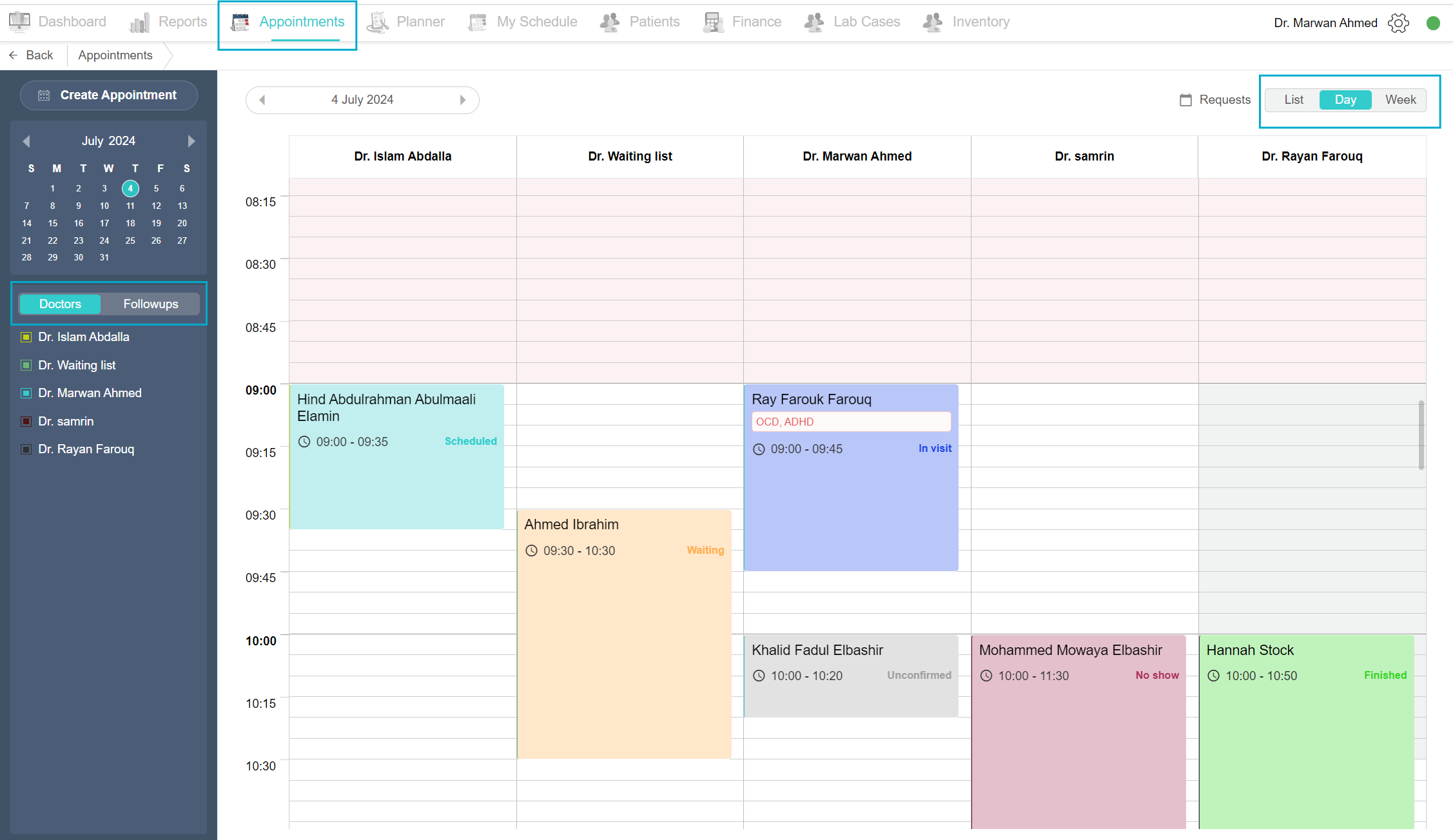
A receptionist is usually in charge of creating appointments for the doctors and scheduling follow-ups. Click on the Appointment tab on the top menu. All you need is one page.
The calendar is in Day View as a default and you’ll be able to see all the scheduled appointments for the day. You can select a Week to view the week's appointment schedule and click the List to view all appointments made in a list view.
In the calendar, the red shade indicates the time is out of the clinic’s working hours and the grey shade indicates the time is out of the doctors’ working hours.
When you click the appointment, an Appointment details box pops up. Here you can view the appointment details, edit the details, change the appointment status, go to the patient invoice or cancel the appointment.
On the left side of the page, you’ll find the Create appointment button, a Calendar beneath it, a Doctors list where you can click to view the doctors' appointments schedule in the day view, and the Followups tab which contains all follow-up appointments requested by the doctor for their patients.
Adjusting Timeline Zoom
To customize the view of the timeline in the appointments page, you can adjust it by clicking on the gear icon located on the right side of the screen. By default, the system is set to the Normal zoom level, where the timeline is divided into 5-minute rectangles. To change this, drag the pointer to either Compact or Minimal. Selecting the Compact view provides a narrower perspective, assigning 10 minutes to each rectangle. For a broader overview, the Minimal level compresses the view further, giving each rectangle a 30-minute duration.
Managing Appointment Requests
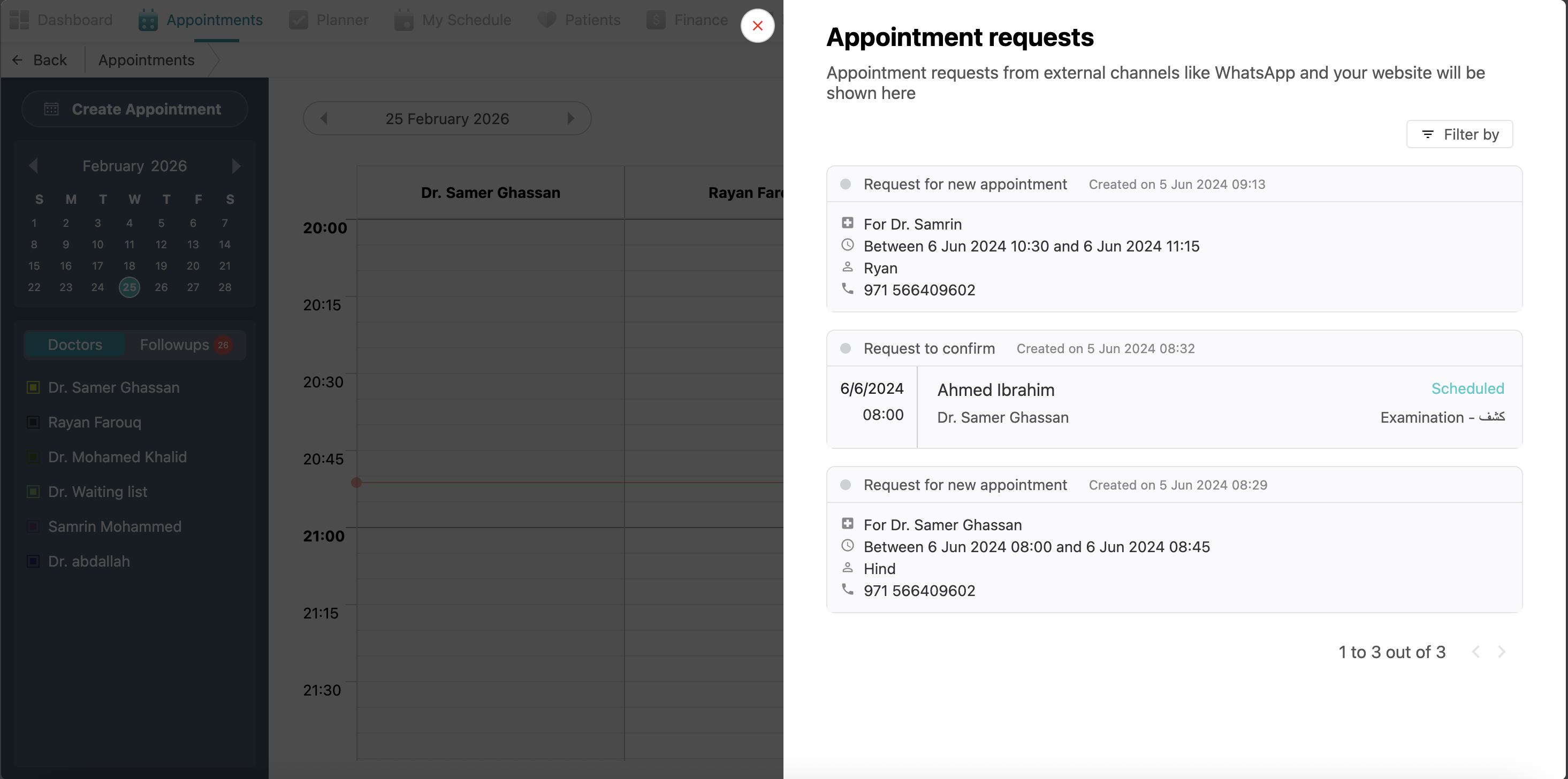
If your clinic has an option for booking appointments from external channel, such as your WhatsApp chatbot or your website, Balsam Medico has a unique feature that integrates such external channels with the system. and you can find those appointments by clicking the Requests button, here you can find all the potential bookings that have not yet been added to the main schedule. From this view, the receptionist can review the details of each external request and finalize the booking to officially place it within the clinic's timeline.
No Comments